You might notice that I’ve been trying to make use of old Android devices that I have. One of the main pain point in this endeavour is that the old operating system can’t support modern security protocols or certificate invalidation after the manufacturers abandon them. They become useless without a lot of tinkering — i.e. rooting and using custom ROMs. Modern websites on these older devices just fail because they cannot communicate.
Updating the TLS stack of your old devices is impossible without rooting it or installing a custom ROM, but there’s still some hope for the second. You can install custom certificates that will work throughout your device. Even old devices with Android 4.4 have this option in their network setting. This will give some value to these old devices.
But I should warn you, as outdated devices, there may be a lot of security vulnerabilities and exploits. Do not use them for handling sensitive data. But as a entertainment devices, they are still usable.
Add Let’s Encrypt certificate authority for websites that use it
The solution to the second problem described above — You can install an ISRG Root X1 certificate from Let’s Encrypt. Let’s Encrypt issues SSL/TLS certificates that are typically signed by an intermediate certificate (which is signed by the ISRG Root X1). Install the ISRG Root X1 certificate. This ensures that all intermediate certificates can be traced back to the root. It also allows clients to verify their legitimacy.

Although most modern browsers and operating systems already recognize the ISRG Root X1, older systems may not (like Android devices stuck in 4.4). Adding the certificate manually ensures that even these older clients can verify the authenticity of the Let’s Encrypt certificate and establish a secure connection.

The ISRG Root X1 certificate is part of the certificate chain that allows the browser or client to trust certificates issued by Let’s Encrypt. This root certificate is self-signed and recognized by most modern web browsers and operating systems as a trusted root.
When a server uses an SSL/TLS certificate issued by Let’s Encrypt (which is signed by the ISRG Root X1 certificate), it enables secure HTTPS communication. This secures the data between the server and the client from eavesdropping or tampering.
This makes your device trust websites with Let’s Encrypt SSL certificates again. Let’s Encrypt offers free certificates and is widely popular among web devs and companies. This allows your old device to access a large part of the internet.
How to install the certs?
The process is quite simple. You’ll just need a certificate file and a device that can install a custom user certificate.
- Download the certificate file from the Let’s Encrypt website. Here is the direct file link.
- Navigate to Network Settings in your Android device.
- Use the “Install Certificates From Storage” option
- Find the `pem` file you downloaded in the first step
- Name the certificate and install it.
- Navigate to this test page to test if it is working.
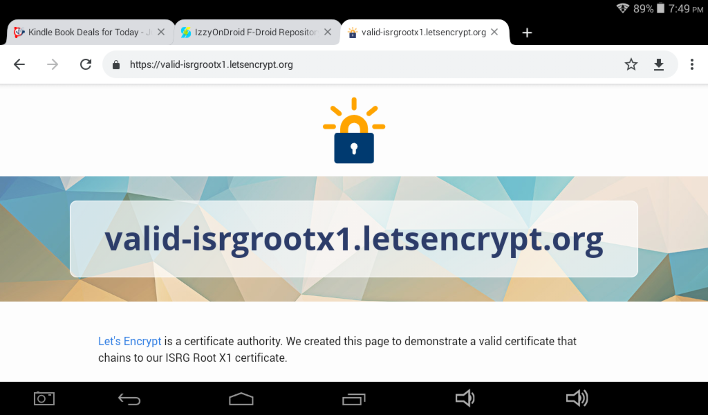
If the website loads, everything worked well. As a warning, Android will show “Network may be monitored” notification every time you boot your device. As of writing this post, Let’s Encrypted is a trust-worthy company and their certificates are safe to install. Make use of this to access your websites/self-hosted services or others that use Let’s Encrypt certificates.