The constant stream of information on the internet and social media can cause you to lose track of time. You get sucked in by the content and the dopamine addiction makes you switch from one app to another in search of interesting content. Apple has screen time and Google has digital well-being to monitor the usage of your phone and applications. But there’s more to managing your phone usage than addiction to social media apps. Your eyes also need to rest periodically so that they aren’t strained by continuous usage.
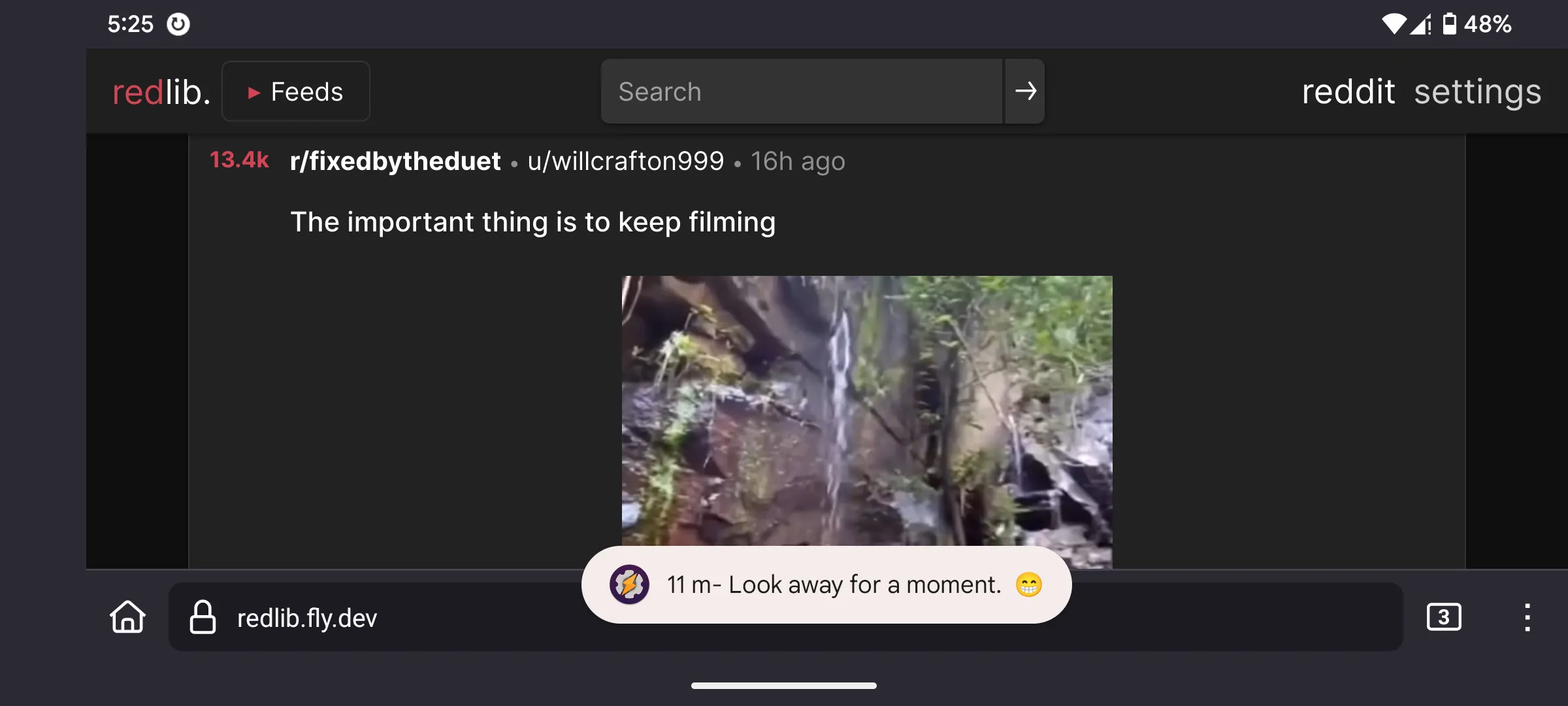
So, I created a simple tasker profile that would remind me how long I had been using my phone. This would just be a simple toast with a text about how long the screen has been on. There is no complicated app usage detection or tracking.
The workings are simple. A user sets a duration during setup. It records the time when the user unlocks the screen. After a duration, the reminder toast appears. If you continue using your phone, the duration adds up and the toast will show that information. Let’s say, If I set the duration to 10 minutes, it would remind me of 10 minutes, 20 minutes, 30 minutes and so on.
If you want to change the duration of the reminder, you can change the %Restafter variable. By default, it is 600 seconds, which is 10 minutes. The emojis are there to make it a bit more eye-catching because, as the time goes on you begin to ignore the reminder.

Here’s the Taskernet link to add it to your device. Do check the XML file before you use any tasker profile, as they can be malicious. I’ve been using it on my Pixel with Android 15 without any issues. Do let me know if you run into any issues.