

F-Droid is an alternative store for Android devices. It is an open-source project with a community of developers developing and building apps that are free of ads and tracking. F-Droid relies on its community and own infrastructure to provide apps to the community.
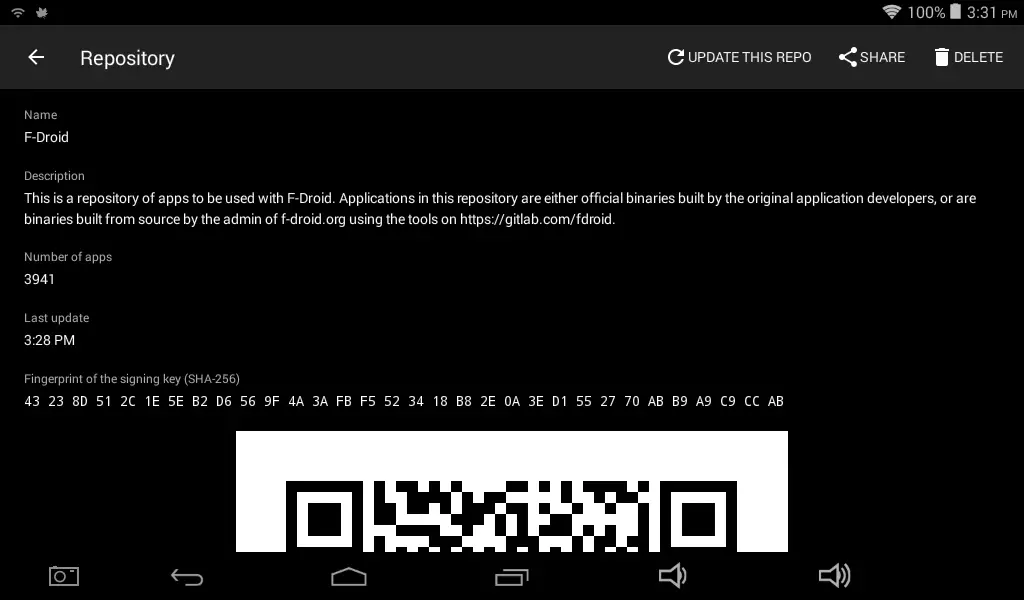
It, however, may not work on old devices, as I found out on my old tablet running Android 4.4. You can install F-Droid Classic on it, but it cannot talk to the F-Droid repository. This is because old devices do not get updates to support the latest updates in internet protocols. So they become more or less unusable.
There’s apparently a way to use F-Droid on your old devices. A while ago, a dev used Cloudflare workers to offer a mirror for its repository after a controversial discussion. Cloudflare, being a huge B2B service, may need to support legacy protocols. This gives us an F-Droid mirror that works with older devices.
The F-Droid client then could connect and get the packages from the repository. Cloudflare may be slightly slower to get updates since it needs to sync periodically with the upstream. That is still significantly better than not having access at all.
Steps to use Cloudflare F-Droid Mirror
Here we assume that you’ve already tried the usual process and couldn’t update through the original F-Droid repository.

- Install F-Droid Classic from the F-Droid website
- Open the app and navigate to the Repositories section.
- Disable or remove the F-Droid repository
- Add a new F-Droid repository from Cloudflare from here
- Refresh the repositories
Hopefully, your device can now connect to the repository and get the apps and updates you need to make use of your device.

Even then, the Android version of your device will limit the number of apps you can use. But there are still plenty of apps to make old Android devices usable. At the bare minimum YouTube works and can be used as a entertainment device.
Android devices have a lot of problems and shortcomings, either through their own faults or OEMs that abandon them as quickly as possible. But Android has an aftermarket support community like Linux, so when OEMs and manufacturers shut down development, the community keeps the devices running for ages.
As always, keep in mind that older devices are vulnerable. Be mindful of how you use your legacy devices. Keep personal data away from it and use secure DNS to prevent malicious intrusion through web, and do not install apps outside of sources you trust.